

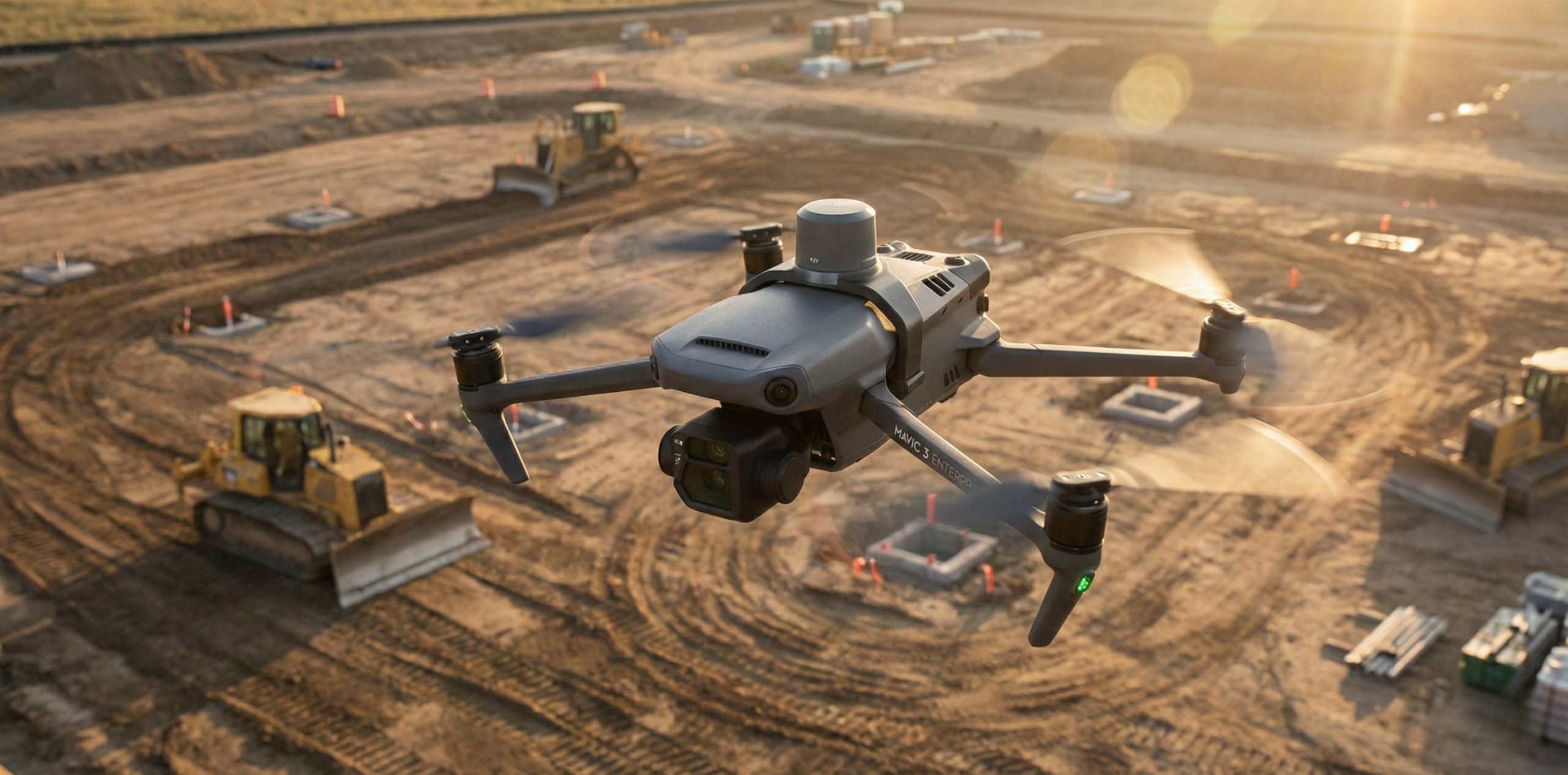
RTK (Real-Time Kinematic) on a drone is a GNSS correction method that improves the aircraft's position from meter-level to centimeter-level accuracy during flight. The drone's RTK module receives correction data from a nearby reference station, usually streamed over the internet via NTRIP, and applies it to every position fix and image geotag. This guide covers how RTK in drones works, the accuracy to expect, which aircraft support it, how to set it up and what to check when you don't get a Fix.
- Accuracy: RTKdata quotes about 1 to 2 cm horizontal and 2 to 3 cm vertical with a Fix, open sky and a reference station within 15 km.
- Delivery: corrections go from a reference station to an NTRIP caster, over 4G/5G or Wi-Fi to the controller, then to the drone's RTK module.
- Requirements: an RTK-capable drone, a data connection on the controller and NTRIP credentials (host, port, mountpoint, username, password).
- No signal: without mobile coverage, use PPK or a local base station instead.
Table of contents
- What does RTK mean for drones?
- Key benefits of RTK on drones
- How NTRIP RTK systems work
- What accuracy can you expect?
- What you need: compatible RTK drones and controllers
- How to set up NTRIP RTK on a drone
- Troubleshooting drone RTK: no Fix, Float and dropped corrections
- RTK vs PPK vs GCPs: which do you need?
- NTRIP corrections vs a local base station
- Frequently asked questions
What does RTK mean for drones?
Without corrections, a drone's GNSS receiver is accurate only to meter level, because it works out its position from satellite signals alone and errors in satellite orbits, clocks and the atmosphere go uncorrected. GPS.gov's accuracy page (retrieved October 2026) gives the example of smartphones accurate to within a 4.9 m radius under open sky. Our comparison of RTK and standard GPS accuracy has the detail.
RTK removes most of that error. A reference station at a precisely known position tracks the same satellites and streams its measurements as correction messages. The drone's RTK module combines them with its own carrier-phase measurements to cancel the errors both receivers share. They share more of it when the station is close, so distance matters.
Key benefits of RTK on drones
- Fewer ground control points. Our drone setup documentation puts a traditional workflow at five to ten control points and an RTK flight at zero or a few checkpoints.
- No base to set up. With NTRIP the reference station is already installed, so you only enter credentials on the controller.
- Results on landing. Geotags are corrected in flight, so there is no post-processing step.
- Moving between sites. The same credentials work at every site within coverage, so there is no base to move.
How NTRIP RTK systems work
An NTRIP RTK system has three parts: a reference station, an NTRIP caster that streams its data, and the RTK module on the aircraft. The controller relays the corrections between caster and drone.
The reference station
A reference station is a fixed GNSS receiver at a precisely surveyed position. It outputs RTCM 3 messages, the format defined by the RTCM 10403 standard for differential GNSS (retrieved October 2026). With RTKdata you do not pick a station yourself; instead, the AUTO mountpoint uses the position your drone reports through the controller (an NMEA GGA message) to select the nearest one.
The NTRIP caster and mountpoints
NTRIP (Networked Transport of RTCM via Internet Protocol) is the protocol that carries those messages over the internet. BKG (retrieved October 2026), which developed it together with TU Dortmund, describes it as an RTCM standard built on HTTP. The caster is the server your controller logs in to, while a mountpoint is the named stream it requests. Our explainer on the NTRIP connection flow walks through both steps.
The drone's RTK module: Fix and Float
The RTK module applies the corrections to every position, and its status shows how far it has got. Float means corrections are arriving but the solution has not resolved; our DJI troubleshooting guide puts Float at typically 10 to 30 cm. Only a Fix gives the figures in the next section. Corrections also have to be fresh: our guidance gives full performance under 1 second of latency and calls corrections stale beyond 3 seconds.
Open RTKdata Docs
Find the setup guide for your drone and controller, with the exact menu path and connection settings.
What accuracy can you expect?
With a Fix, RTKdata quotes about 1 to 2 cm horizontal and 2 to 3 cm vertical, assuming a reference station within 15 km, a clear view of the sky and corrections arriving in under a second.
| Status | Horizontal | Vertical | Conditions |
|---|---|---|---|
| Standard GNSS | Meter level (4.9 m radius in GPS.gov's smartphone example) | Worse than horizontal | Open sky; worse near buildings and trees |
| RTK Float | Typically 10 to 30 cm on DJI drones | Worse than horizontal | Corrections arriving, solution not resolved |
| RTK Fix | 1 to 2 cm | 2 to 3 cm | Fix held, station within 15 km, open sky, latency under 1 second |
Because the errors the two receivers share diverge with distance, accuracy drops as the drone moves away from the station; our article on RTK accuracy over baseline distance explains why. Our accuracy guidance recommends staying within 15 km. The coverage map shows a 2 cm zone for survey-grade work and a 2 to 10 cm zone that suits drone mapping with ground control. Heights are ellipsoidal, so apply a geoid model for elevations above sea level.
Try RTK corrections on your drone
Check your site on the coverage map, then connect your controller and confirm you reach a Fix before you commit.
What you need: compatible RTK drones and controllers
You need a drone with an RTK module, a controller with an internet connection, and NTRIP credentials. The drone itself does not go online: the controller connects through a phone hotspot or 4G dongle and passes the corrections on.
| Drone | Controller and app | Note |
|---|---|---|
| DJI Mavic 3 Enterprise (3E, 3T, 3M) | DJI RC Pro Enterprise, DJI Pilot 2 | The consumer Mavic 3, Classic and Pro have no RTK module |
| DJI Matrice 4 Enterprise RTK (4E, 4T) | DJI RC Plus 2 Enterprise, DJI Pilot 2 | The non-RTK variant cannot use network corrections |
| DJI Matrice 300 RTK, 350 RTK, M30T | DJI RC Plus, DJI Pilot 2 | Built-in RTK module |
| DJI Agras T50, T40, T25 | DJI Agras Smart Controller, DJI Agras app | Turn off D-RTK 2 Search first |
| Autel EVO II Pro RTK V3, EVO II Enterprise RTK | Autel Smart Controller V3, Autel Explorer | RTK variants only |
Our guides also cover the DJI Matrice 400, Dock 3, Skydio X10, XAG P100 and P150, and PX4 or ArduPilot aircraft. Two groups cannot use a live NTRIP stream: consumer drones such as the DJI Mini and Air, which have no RTK hardware, and PPK-only aircraft such as Wingtra. Our RTK for drones page lists further models.
If you fly in the US, read our update on US drone regulations affecting RTK platforms before you buy. In December 2025 the FCC moved to block approvals for new foreign-made drone models, although aircraft already authorized and purchased remain operational.
How to set up NTRIP RTK on a drone
The steps are the same on most RTK drones, but the menu names change. Here they are for DJI Pilot 2, used on the Mavic 3 Enterprise, Matrice 4 Enterprise and Matrice 300 and 350 RTK.
DJI Pilot 2, step by step
- Get your NTRIP credentials from the RTK Credentials tab of your account. They are not your website login.
- Connect the controller to the internet through a phone hotspot or 4G dongle, and check it by loading a page in the controller's browser.
- Go outside first. Power on under open sky and let the drone lock onto satellites; it does not report its position to the caster until it has them.
- Open the RTK settings. In the camera view, tap the three-dot menu, open RTK and turn on RTK Positioning. The layout differs between models, so follow the guide for yours.
- Select Custom Network RTK as the service type, because D-RTK 2 Mobile Station waits for DJI's own base and never reaches a Fix with an NTRIP service.
- Enter the connection settings: host
rtk.rtkdata.com(North America),eu.rtkdata.com(Europe) oraus.rtkdata.com(Australia), port2101, mountpointAUTOin capitals, then your username and password. - Wait for a Fix before takeoff. The status moves from SINGLE to FLOAT to FIX; our Mavic 3 Enterprise guide gives 30 to 90 seconds under open sky. Keep the drone still, and wait again after every battery swap, because a swap resets the RTK module. If it stalls in FLOAT, check the data connection: corrections more than 1 second old degrade the solution, and beyond 3 seconds they are stale.
DJI Agras app and Autel Explorer
The connection settings are the same in every app; only the path to them changes.
- DJI Agras app (Agras T50, T40, T25): tap the RTK icon or go to Settings > RTK, turn off D-RTK 2 Search, then select Custom Network RTK. Check that toggle first, because it is often on by default and overrides the network connection.
- Autel Explorer (EVO II Pro RTK V3, EVO II Enterprise RTK): in the camera view, tap Settings (the gear icon), open the RTK section, turn RTK on and select Custom NTRIP.
Flying several drones at once
One set of credentials serves one drone at a time. If a second aircraft connects with the same login, the first loses RTK mid-flight. As our pricing page sets out, a subscription covers one device at a time, so add a data stream for each drone you fly simultaneously.
Troubleshooting drone RTK: no Fix, Float and dropped corrections
Most failures come down to the service type, the credentials, the distance or the data connection. For receivers in general, see our step-by-step RTK troubleshooting guide.
| Symptom | Likely cause | What to do |
|---|---|---|
| "No RTK Data Available" | D-RTK 2 selected, D-RTK 2 Search on (Agras), or no satellite lock yet | Select Custom Network RTK; wait for satellites outdoors |
| Authentication fails | Website login used instead of NTRIP credentials | Copy them from the RTK Credentials tab |
| Connected, but no corrections | Mountpoint mistyped or set to a coordinate system name | Enter AUTO in capitals (case-sensitive) |
| Stuck in Float or "Converging" | Too far from the nearest station, obstructed sky or multipath | Check the coverage map; move away from buildings, trees and metal |
| Corrections drop mid-flight | Weak signal, a VPN, or a second device on the same login | Use a stronger connection, turn off the VPN, one data stream per drone |
| Map Pilot Pro never connects | It has its own NTRIP settings; some versions default to port 2103 | Enter the settings there, with port 2101 |
Distance is the biggest single factor, so check it first. Our DJI guide treats a Fix as achievable within about 30 km, sensitive at 30 to 50 km and unlikely beyond 50 km. DJI Pilot 2 can allow takeoff in Float (Allow Non-Fixed RTK Takeoff), which is enough for photogrammetry but not for survey-grade control.
RTK vs PPK vs GCPs: which do you need?
The two methods differ in when corrections are applied rather than in how accurate they can be. RTK applies them in flight, so geotags are usable on landing. PPK (post-processed kinematic) logs raw GNSS data and camera events and applies corrections afterwards, so it survives a dropped link but adds an office step. Our RTK vs PPK comparison puts both at about 1 to 2 cm horizontal and 2 to 3 cm vertical when camera timing and lever-arm offsets are right.
A simple rule: with mobile coverage at the site, use RTK; without it, plan for PPK or a local base. RTKdata streams real-time corrections over NTRIP, so it serves the RTK side of that choice.
Ground control points are a separate question. Both methods reduce how many you need, but neither proves the result is right. Keep a few as independent checkpoints; without them you have precise data and no evidence of absolute accuracy.
NTRIP corrections vs a local base station
A local base station, such as DJI's D-RTK 3, puts a reference station on your site; with NTRIP the station is already installed and reached over mobile data.
- NTRIP corrections suit work across many sites with mobile coverage and a station in range: nothing to carry or set up.
- A local base makes sense with no mobile signal, when the nearest station is too far for a reliable Fix, or when the NTRIP connection is unreliable on the day and a local radio link is more dependable.
If you often work where coverage is thin, you can also apply to host an RTKdata base station. RTKdata supplies a compact station for a site with power, Wi-Fi and open sky, and hosts get 50% off one subscription while it stays online.
Plan your RTK rollout
Discuss setup or scaling for teams and multi-site operations with a quick working session.
Frequently asked questions
Does every drone support RTK?
No. RTK needs an RTK module on the aircraft, so consumer models such as the DJI Mini, Air and standard Mavic 3 cannot use it, and software cannot add it. RTK-equipped enterprise and agricultural models, such as the Mavic 3 Enterprise and the Agras series, accept NTRIP corrections.
What is the difference between RTK Fix and RTK Float?
Fix means the solution has resolved to centimeter level; RTKdata quotes about 1 to 2 cm horizontal with a Fix in good conditions. Float means corrections are arriving but the solution has not resolved, typically 10 to 30 cm on DJI drones. Wait for a Fix before a mapping mission.
Can I use NTRIP RTK corrections with a DJI drone?
Yes, on RTK-equipped Enterprise and Agras models. In DJI Pilot 2, or the DJI Agras app, select Custom Network RTK and enter the host, port 2101, mountpoint AUTO and your NTRIP username and password. The controller needs an internet connection.
Do I still need GCPs with RTK?
Fewer of them. RTK can reduce ground control to zero or a few checkpoints, compared with five to ten points in a traditional workflow. Keep at least one checkpoint, because it is your independent evidence that the map is accurate.
How much mobile data does an NTRIP stream use?
About 1.5 to 2 MB per hour, according to RTKdata's drone setup documentation, so even a small data plan covers a lot of flying. A stable, low-latency connection matters more than bandwidth.

Owns infrastructure, security, and integrations at RTKdata.